Support

Osstell Beacon

Aquí encontrará toda la información que necesita sobre su instrumento, incluidos datos de configuración, uso y cuidado, y también material de respaldo y respuestas a sus preguntas.

Materiales de apoyo

User Manual

How to measure

How to register

How to connect to OsstellConnect

Trouble Shoot – No Reading

Paso 1

Cargue su Osstell Beacon

Cargue el nuevo instrumento durante 3 horas antes del uso.

Paso 2

Registre su Beacon en OsstellConnect y reciba una recompensa

Registre su Beacon en OsstellConnect y reciba gratis dos cajas de SmartPeg (válido para instrumentos nuevos mientras queden existencias).

Paso 3

Empiece a medir

Siga las guías paso a paso en la sección Ayuda de OsstellConnect o contáctenos si necesita asistencia.

Configure su instrumento: paso a paso

En este breve vídeo, le guiaremos, paso a paso, en la configuración y el registro de su Osstell Beacon. Comience en 5 minutos y reciba 2 cajas de SmartPegs sin cargo.

Regístrese aquí
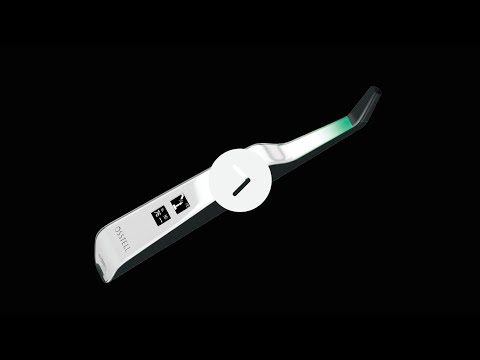
Mida la estabilidad del implante con Osstell Beacon

El Osstell Beacon determina la estabilidad del implante en cuestión de segundos. En este vídeo, le mostramos como realizar las mediciones. Para obtener guías paso a paso, visite la sección Ayuda de su cuenta de OsstellConnect.

Ir a OsstellConnect
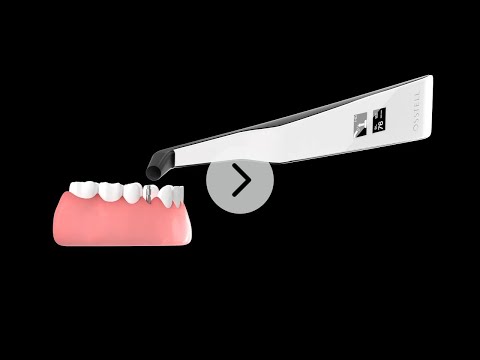
Funda de barrera

Antes de utilizar el Osstell Beacon en un paciente, coloque una funda de barrera sobre él. La funda de barrera ayuda a evitar la contaminación cruzada y a impedir que el material dental compuesto se adhiera a la superficie de la punta y del cuerpo del instrumento y que las soluciones de limpieza produzcan manchas y degradación.

Fundas de barrera recomendadas:

Omnia: Non sterile cover, Art No 30.Z0600.00, Sterile cover Art No 22.Z0600.00

PremiumPlus: 123, Small short 123, Small.

Haga clic aquí para realizar un pedido.

TIDIshield, Art no: 21021, Art no: 20987.

Haga clic aquí para realizar un pedido.

Barrier sleeve

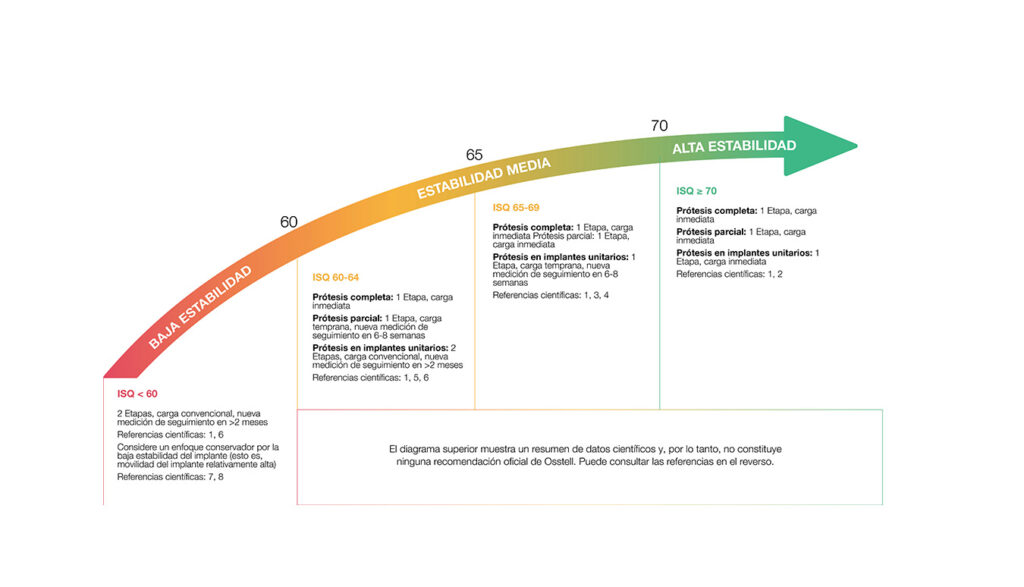
La escala ISQ

ISQ, acrónimo inglés de cuota de estabilidad del implante, es una escala de 1 a 99 para representar una medida de la estabilidad de un implante. La escala ISQ tiene una correlación no lineal con la micromovilidad. Con más de 1500 referencias científicas, ahora sabemos que una alta estabilidad significa un valor ISQ superior a 70; entre 60 y 69, se considera una estabilidad media, mientras que un valor ISQ inferior a 60 indica una baja estabilidad.

La escala ISQ
Frequently asked questions

Do I need to be connected to Wi‑Fi?

No, a Wi‑Fi connection is not required to use your Osstell Beacon. You can measure implant stability and document ISQ values manually in your patient journal or in OsstellConnect at a later stage.
If connected, the Osstell Beacon can communicate wirelessly with OsstellConnect, allowing measurements to be transferred and recorded automatically.
OsstellConnect is an online tool used for data collection, statistical analysis and clinical insights based on your measurements.
To use the data connection, your Osstell Beacon must first be registered. The serial number can be found on the back of the instrument. For registration guidance and more information, please visit https://osstellconnect.com/register

How do I switch the Osstell Beacon from transport mode to use mode?

The Osstell Beacon is delivered in transportation mode with the motion sensor deactivated. To switch modes, briefly connect the USB cable to the instrument and a USB port on a computer for a few seconds, then disconnect.

How do I get started?

Start by charging the instrument for about 3 hours to ensure optimal performance.

The Osstell Beacon starts automatically when moved, shows the battery status, and is then ready for measurement in the BL (buccal-lingual) direction.

Bring the instrument close to a SmartPeg or TestPeg to start measuring. An audible signal confirms the measurement, and the ISQ value is shown together with a coloured stability indication (red, yellow, green).

At start-up, an OsstellConnect code is displayed until the instrument is registered. You can register your instrument here: Register to OsstellConnect.

The instrument turns off automatically after 60 seconds without movement.

How do I measure with the Osstell Beacon?

Video on how to measure: Measure with Osstell Beacon

1. Activate the Osstell Beacon by picking it up. The instrument will start-up and after showing the battery status, the instrument will be ready for measurement in the BL (Buccal – Lingual) direction, which is prompted in the upper display as well as optimal angle towards the Smartpeg.

2. Place a barrier sleeve over the Osstell beacon instrument.

3. Place the SmartPeg into the SmartPeg Mount. The SmartPeg is magnetic, and the SmartPeg Mount will hold the SmartPeg. See fig 2. Attach the SmartPeg to the implant or abutment by screwing the SmartPeg Mount using finger force of approximately 4-6 Ncm. Do not over-tighten, to avoid damaging the SmartPeg threads.

4. Hold the instrument tip close (2-4mm) to the top of the SmartPeg without touching it. Sometimes, you will need to go as close as 1 mm. An audible sound indicates when measurement has started, and measured data will be shown in the upper display combined with a colored light indication below the tip.

5. Bring the instrument out of the mouth to clearly read the ISQ value and the colored indication. The measured ISQ values will be displayed in the upper display for a couple of seconds and then switch to be ready for measurement in mesial-distal direction.

6. Repeat step 4 and the sequence starts over and the Osstell Beacon is ready for measurement in the BL (Buccal- Lingual) direction again.

7. When all measurements are performed, remove the SmartPeg by using the SmartPeg Mount. The instrument is automatically turned off after 60 seconds of inactivity.

What should I do if the Osstell Beacon doesn’t start or when the display is showing a wrench and a manual?

Charge the Beacon for at least 30 min in room temperature, then try again. If the error remains, try resetting the device by:

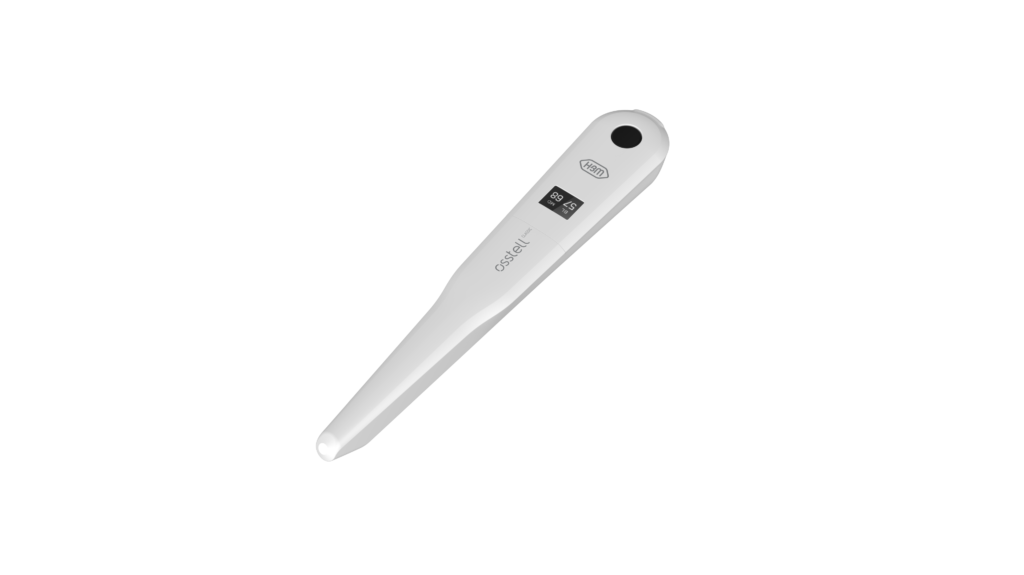
1. Identify the Beacon reset pin on the picture below.

2. With a paper clip, do a gentle press for 1 second on the reset button (Note! You may have to tilt the pin a little downwards).
If you see a “PadLock” symbol in the upper display, press one more time on the reset button.


If the Beacon still doesn’t start or the display is showing a wrench and a manual, then please contact your local sales representative or distributor or support@osstell.com.

¿Por qué al medir obtengo valores inesperados o no consigo ninguna lectura?

Algunas posibles explicaciones son:


SmartPeg reutilizado: Los SmartPegs son desechables y solo deben utilizarse para una o varias mediciones en una sesión de tratamiento, para un solo paciente. La reutilización repetida puede dar lugar a lecturas falsas debido al desgaste de las roscas blandas de aluminio del SmartPeg.

Tipo de SmartPeg incorrecto seleccionado para el implante: Consulte la lista de referencia de SmartPeg, osstell.com/smartpegguide

Hueso o tejido blando entre SmartPeg e implante: Asegúrese de limpiar la conexión protésica del implante antes de colocar el SmartPeg.

Interferencias electromagnéticas: Retire la fuente de las interferencias electromagnéticas.

La sonda está demasiado lejos del SmartPeg: Sostenga la sonda a 2-4 mm del SmartPeg.

¿Necesitas ayuda?

Rellene el formulario y en breve nos pondremos en contacto con usted. ¡En breve tendrá noticias nuestras!