Osstell Beacon

Osseointegração? Fácil.

O Osstell Beacon ajuda você a determinar de forma objetiva e não invasiva a estabilidade do implante e a avaliar o progresso da osseointegração – sem comprometer o processo de cicatrização. O Osstell Beacon usa tecnologia RFA proprietária e fundamentada em evidências, com base em milhares de estudos científicos. Isso também inclui o OsstellConnect, uma plataforma gratuita baseada em nuvem que fornece acesso a dados abrangentes de implante e suporta comunicação aprimorada de paciente.

Resultados previsíveis: Confiança em cada tratamento de implante

Nosso método elimina suposições. Ao medir a estabilidade do implante com um valor objetivo, a Osstell torna os tratamentos de implante mais previsíveis e confiáveis para cada paciente.

Tempo ideal de tratamento: Personalizado para cada paciente exclusivo

A carga imediata está se tornando cada vez mais comum. Os pacientes querem resultados rápidos. Com Osstell®, você espera apenas o tempo necessário.

Com base em evidéncias: Suportado por mais de 1500 estudos científicos

Suportado por mais de 1500 estudos científicos, nosso método é baseado em análise de frequência de ressonância (RFA) para determinar se um implante é ou não estável o suficiente. O resultado é apresentado como um valor ISQ de 1-99. Quanto maior o ISQ, mais estável é o implante.

OSSTELLCONNECT & OSSTELL BEACON

Aprimore seus tratamentos com implantes

OsstellConnect é um programa gratuito na nuvem que oferece uma nova forma de os cirurgiões-dentistas usarem seus dados para aprimorar os tratamentos com implantes dentários. É o maior portal online de implantes do mundo, com mais de um quarto de milhão de pontos de dados. OsstellConnect atualmente é gratuito e acessível para Osstell Beacon e Osstell IDx.

OsstellConnect
OsstellConnect and Beacon

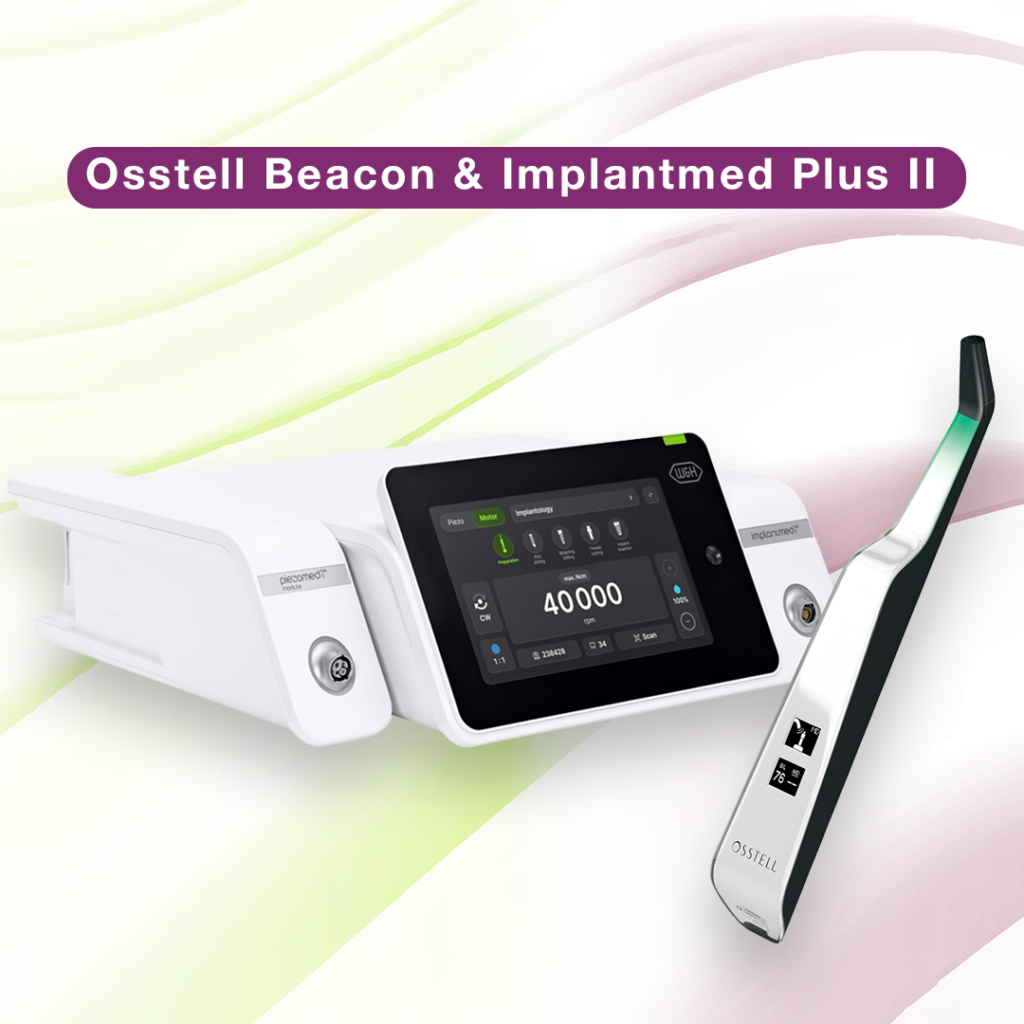
Implantmed Plus II & Osstell Beacon

Precisão e confiabilidade com o Implantmed Plus II e o Osstell Beacon W&H

O Implantmed Plus II da W&H, combinado com o Osstell Beacon, oferece uma solução ideal para procedimentos de implante seguros e precisos. Com recursos como controle de torque automático para inserção segura do implante e uma função de corte com macho de rosca para melhor precisão, o Implantmed Plus II garante facilidade e precisão. O Osstell Beacon aprimora ainda mais esta experiência exibindo medidas de estabilidade ISQ em tempo real diretamente na tela, simplificando a documentação e dando suporte aos resultados ideais do paciente.

Explore o pacote Implantmed Plus II + Osstell Beacon para trazer maior precisão para a sua clínica. 

Saiba mais sobre as soluções da W&H
Vídeos

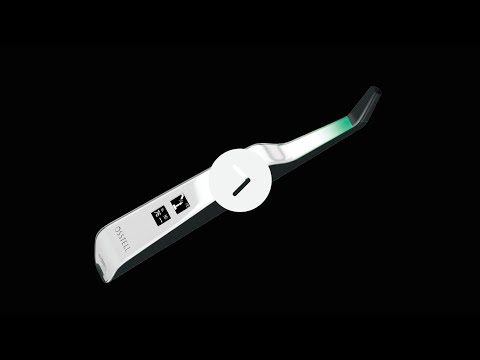
Configure seu instrumento – passo a passo

Neste breve vídeo iremos guiá-lo, passo a passo, como configurar e registrar seu Osstell Beacon. Comece em 5 minutos e ganhe 2 caixas de SmartPegs gratuitamente.

Cadastre-se aqui
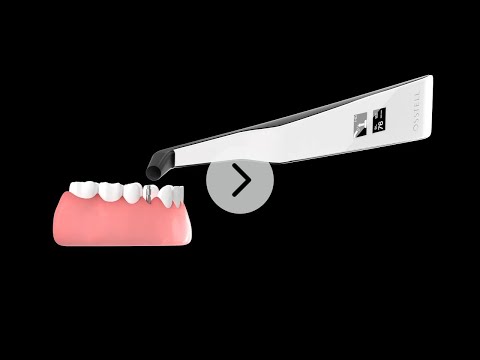
Meça a estabilidade do implante com Osstell Beacon

O Osstell Beacon determina a estabilidade do implante em questão de segundos. Neste vídeo, mostramos como medir. Para obter mais guias passo a passo, visite a seção Ajuda em sua conta OsstellConnect.

OsstellConnect
Search for distributor

Materiais de suporte

EMC Declaration

Frequently asked questions

Got a question regarding Osstell Beacon? Our FAQ is the fastest way to get help. Below you will find the most frequently asked questions regarding Osstell Beacon. If you can’t find the answer you are looking for, don’t hesitate to contact us.

How do I switch the Osstell Beacon from transport mode to use mode?

The Osstell Beacon is delivered in transportation mode with the motion sensor deactivated. To switch modes, briefly connect the USB cable to the instrument and a USB port on a computer for a few seconds, then disconnect.

How do I get started?

Start by charging the instrument for about 3 hours to ensure optimal performance.

The Osstell Beacon starts automatically when moved, shows the battery status, and is then ready for measurement in the BL (buccal-lingual) direction.

Bring the instrument close to a SmartPeg or TestPeg to start measuring. An audible signal confirms the measurement, and the ISQ value is shown together with a coloured stability indication (red, yellow, green).

At start-up, an OsstellConnect code is displayed until the instrument is registered. You can register your instrument here: Register to OsstellConnect.

The instrument turns off automatically after 60 seconds without movement.

How do I measure with the Osstell Beacon?

Video on how to measure: Measure with Osstell Beacon

1. Activate the Osstell Beacon by picking it up. The instrument will start-up and after showing the battery status, the instrument will be ready for measurement in the BL (Buccal – Lingual) direction, which is prompted in the upper display as well as optimal angle towards the Smartpeg.

2. Place a barrier sleeve over the Osstell beacon instrument.

3. Place the SmartPeg into the SmartPeg Mount. The SmartPeg is magnetic, and the SmartPeg Mount will hold the SmartPeg. See fig 2. Attach the SmartPeg to the implant or abutment by screwing the SmartPeg Mount using finger force of approximately 4-6 Ncm. Do not over-tighten, to avoid damaging the SmartPeg threads.

4. Hold the instrument tip close (2-4mm) to the top of the SmartPeg without touching it. Sometimes, you will need to go as close as 1 mm. An audible sound indicates when measurement has started, and measured data will be shown in the upper display combined with a colored light indication below the tip.

5. Bring the instrument out of the mouth to clearly read the ISQ value and the colored indication. The measured ISQ values will be displayed in the upper display for a couple of seconds and then switch to be ready for measurement in mesial-distal direction.

6. Repeat step 4 and the sequence starts over and the Osstell Beacon is ready for measurement in the BL (Buccal- Lingual) direction again.

7. When all measurements are performed, remove the SmartPeg by using the SmartPeg Mount. The instrument is automatically turned off after 60 seconds of inactivity.

What should I do if the Osstell Beacon doesn’t start or when the display is showing a wrench and a manual?

Charge the Beacon for at least 30 min in room temperature, then try again. If the error remains, try resetting the device by:

1. Identify the Beacon reset pin on the picture below.

2. With a paper clip, do a gentle press for 1 second on the reset button (Note! You may have to tilt the pin a little downwards).
If you see a “PadLock” symbol in the upper display, press one more time on the reset button.


If the Beacon still doesn’t start or the display is showing a wrench and a manual, then please contact your local sales representative or distributor or support@osstell.com.

Por que recebo valores inesperados ou nenhuma leitura ao fazer medições?

As explicações possíveis incluem:


SmartPeg reutilizado: Os SmartPegs são descartáveis e devem ser usados somente para uma ou várias medições em uma única sessão de tratamento, apenas para um único paciente. A reutilização repetida pode resultar em leituras falsas devido ao desgaste das roscas de alumínio macio do SmartPeg.

Tipo de SmartPeg selecionado incorreto para o implante: Veja a lista de referências do SmartPeg, osstell.com/smartpegguide

Osso ou tecido mole entre o SmartPeg e o implante: Certifique-se de limpar a conexão protética do implante antes de fixar o SmartPeg.

Interferência eletromagnética: Remova a fonte de interferência eletromagnética.

A sonda está muito afastada do SmartPeg: Mantenha a sonda a uma distância de 2 a 4 mm do SmartPeg.

Você também pode estar interessado em
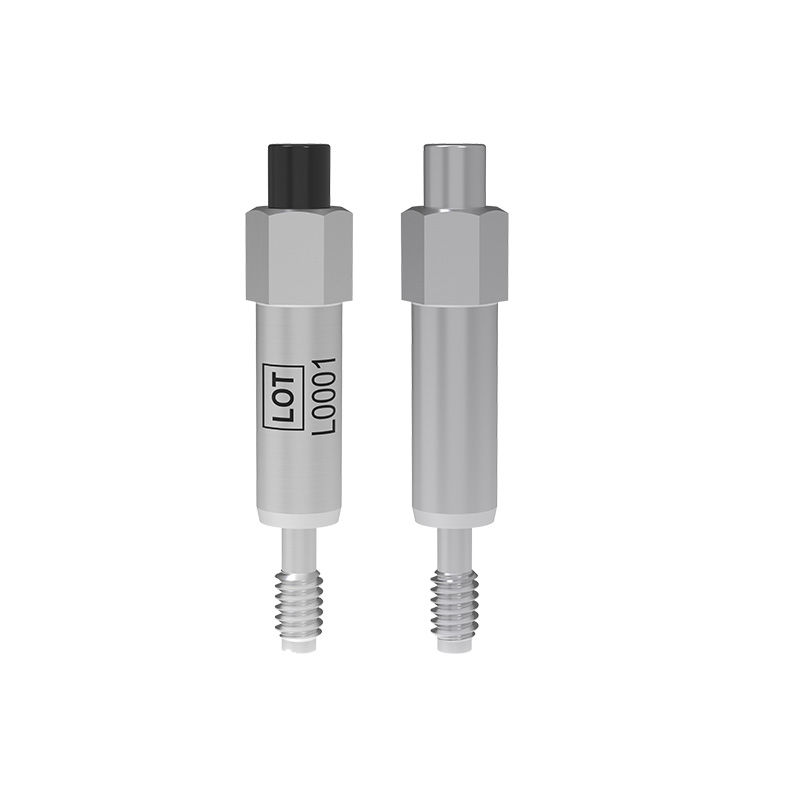
SmartPeg

O SmartPeg™ se conecta ao implante e é usado junto com os instrumentos de medição Osstell IDx, Osstell Beacon ou Osstell ISQ.

OsstellConnect

OsstellConnect é uma solução gratuita baseada na nuvem que oferece uma nova maneira para os médicos usarem os dados para aprimorar seus tratamentos com implantes dentários.